
Asbestos survey software
Asbestos survey software for environmental consultants
Towerforma is hazardous materials inventory and inspection software built around the way asbestos surveys are actually performed: building and floor setup, room-by-room inspection, material occurrences, photographs, sampling, laboratory results and review — held in one structured record instead of six disconnected files.
It is the data layer behind the assessment. Your professional judgement and your report stay yours.
- Building, floor and room structure set up once
- Material occurrences with photos attached in context
- Samples created where they were taken
- Analytical results recorded against the sample
Pre-launch · In development with hazardous materials professionals
The problem
Most asbestos survey time is spent moving the same information between tools.
A single survey commonly produces field sheets, a camera roll, a sample log, a chain of custody, a laboratory report and a written deliverable. Nothing in that chain shares a common record, so the same room descriptions and material details are re-entered at every step.
Transcription, repeated
Room names, material descriptions and locations get written on site, typed into a spreadsheet, then rewritten into report tables — three chances for the same detail to drift.
Photos lose their context
Images sit in a date-ordered folder. Weeks later, matching a photograph back to the right room and the right material occurrence depends on memory and file order.
Results arrive detached
Analytical results come back as a table of sample identifiers. Reconnecting each result to the material, room and floor it represents is manual reconciliation work.
None of this is a competence problem. It is a data structure problem: the survey never had a single record to live in.
End to end
From room inspection to analytical result.
One structured path through the survey, with each step writing into the same record rather than into a new document.
- Step 01
Set up the building
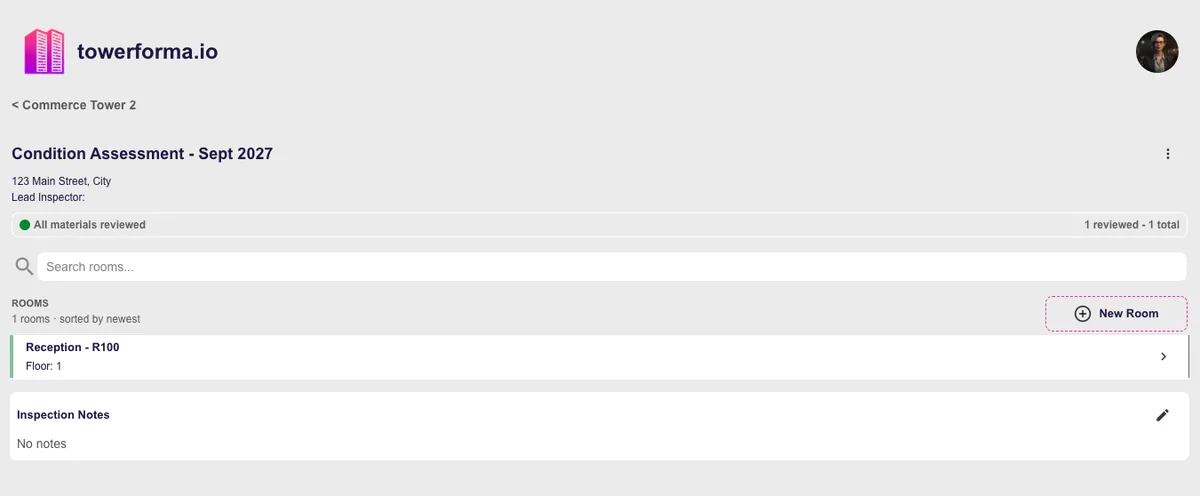
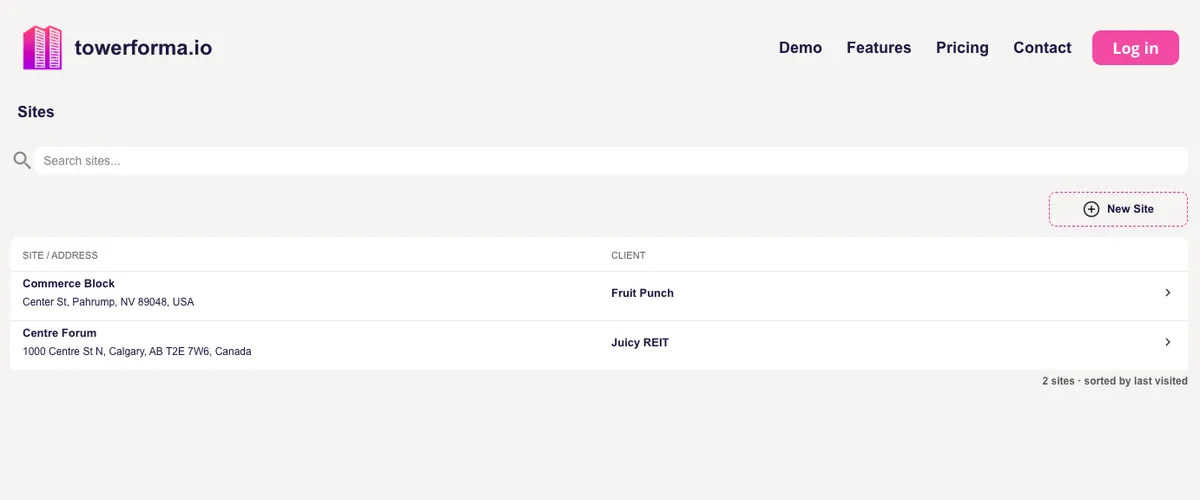
Create the site, building, floors and rooms — or bring forward the structure from a previous inspection so recurring buildings do not have to be rebuilt each time.
- Step 02
Inspect room by room
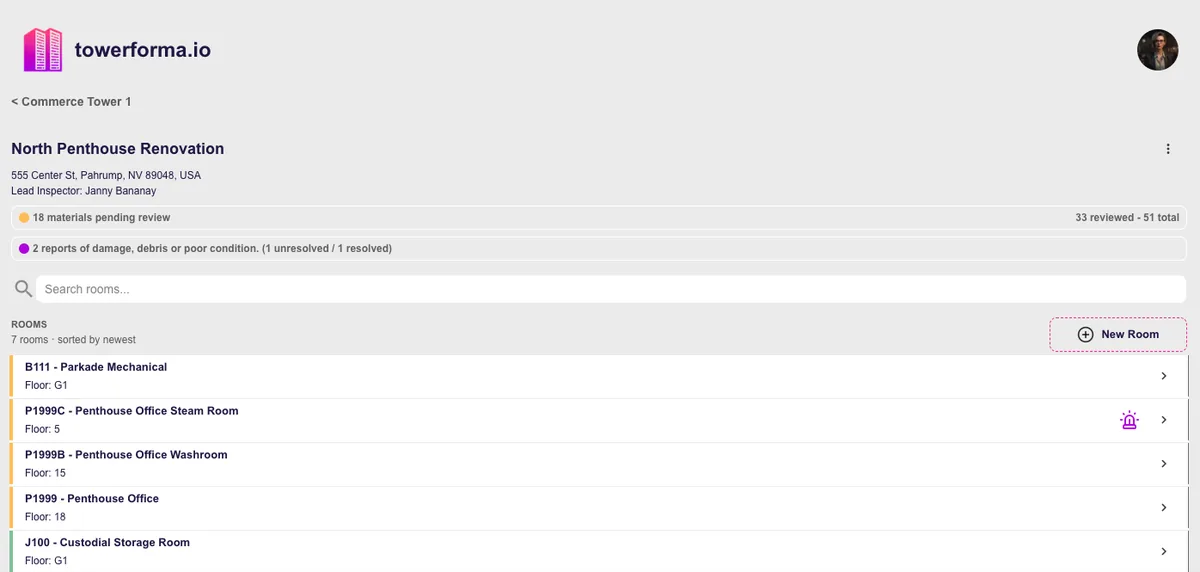
Work through rooms on a phone or tablet, capturing room photographs, finishes and the material occurrences you observe, with descriptions and specific locations recorded as you go.
- Step 03
Record material occurrences
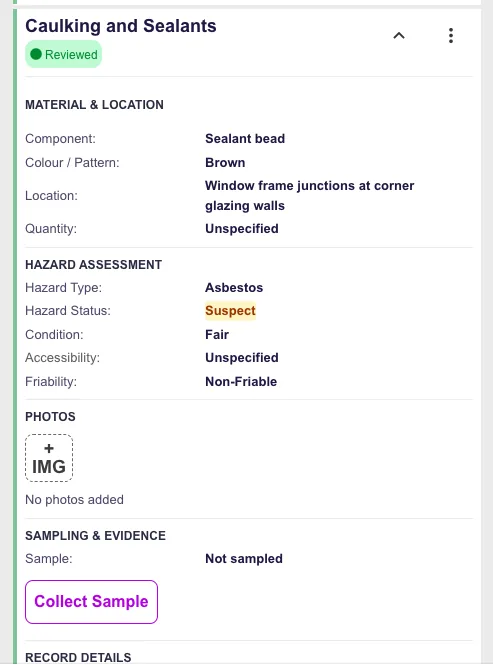
Each occurrence carries its material type, description, specific location, quantity, condition notes, hazard being assessed and whether it is assumed or to be sampled.
- Step 04
Create samples in place
Samples are created against the occurrence they came from, so the sample identifier already knows its building, floor, room and material without a separate log.
- Step 05
Prepare the laboratory submission
Sample lists are assembled from the field records themselves, which removes the retyping step between the field sheet and the submission paperwork.
- Step 06
Record analytical results
Results are recorded against existing sample records. The occurrence, the room, the photographs and the result end up on the same record.
- Step 07
Review before it becomes a deliverable
A reviewer can work through the inspection, check descriptions and flagged conditions, and mark records reviewed before anything is exported.
- Step 08
Export structured outputs
Produce structured data and organized photographs to build the formal report from, instead of reconstructing tables from notes.
Field data capture
Capture once, in the place it belongs.
Field capture is designed for repetitive commercial space: many similar rooms, recurring materials, and long days where re-entering the same description twenty times is the real cost.
Room-first navigation
Move through the building the way you walk it — floor, then room — rather than scrolling one long list of findings.
Duplicate similar spaces
Copy a room or a material occurrence where a floor genuinely repeats, then adjust the details that differ.
Photos attached in context
Each photograph belongs to the room or material occurrence it documents, so it stays identifiable months later.
Assumed vs sampled
Record whether a material is assumed, sampled or previously confirmed, and keep that distinction visible in the record.
Condition observations
Note damage, debris or deteriorated material against the specific occurrence so it is not lost in a general comment field.
Works on the device you carry
A mobile-friendly browser-based application rather than a separate field tool that needs its own reconciliation step.
The field side is covered in more detail on the asbestos inspection app page.
Sampling and laboratory
Sample records that already know where they came from.
The sample is created at the material occurrence, not in a parallel log. That single decision removes most of the reconciliation work that normally happens after results arrive.
Sample identifiers tied to context
Building, floor, room, material occurrence and specific sample location travel with the identifier.
Submission lists from field data
Assemble what is going to the laboratory from the records already captured on site.
Results recorded against the sample
Analytical results attach to the sample record, which is already attached to the material and the room.
Positive results propagate to the inventory
Once a result is recorded, the material occurrence reflects its confirmed status in the building inventory.
Review and QA
Check the survey while the data is still structured.
Reviewing a spreadsheet and a folder of photographs is slow because the reviewer has to rebuild the building in their head. Reviewing structured records means moving through rooms and occurrences directly.
- See which rooms have been completed and which are still outstanding.
- Compare material descriptions across rooms to catch inconsistent wording between surveyors.
- Confirm every intended sample exists and has a location recorded.
- Review flagged condition items before they disappear into a report appendix.
- Mark records reviewed so the reviewed state is part of the record.
Outputs
Structured exports, not a rebuilt spreadsheet.
Towerforma's job is to hand the reporting stage clean, consistent, complete records. The report itself remains the consultant's professional product.
Material inventory export
Room-level material records with hazard status and result history.
Sample and result data
Sample lists with locations and recorded analytical results.
Photo packages
Photographs exported with filenames derived from building, room and date.
If reporting workflow is your main concern, the hazardous materials reporting page goes further into how structured capture upstream changes what reporting costs.
After delivery
The report is a snapshot. The inventory keeps living.
A signed report describes a building on one date. The structured data behind it can keep serving the owner through renovations, reassessments and future projects — which is also what brings clients back to you.
Reassessments build on the record
A later inspection updates the existing building record instead of starting a new disconnected file.
History stays retrievable
Earlier assessments, samples and photographs remain associated with the material they describe.
A better handover
Clients receive structured information they can actually query, not only a PDF in a folder.
See how that ongoing record works on the hazardous materials inventory software page, or read the guide to building a hazardous materials inventory.
Questions
Frequently asked
- Does Towerforma replace the surveyor's judgement?
- No. Material identification, homogeneous area decisions, sampling strategy and assessment conclusions remain the surveyor's professional responsibility. Towerforma records those decisions in a structured way so they can be reviewed, exported and revisited later.
- Can several surveyors work on the same building?
- Yes. A building can be split by floor, wing or room set, with each surveyor capturing rooms and material occurrences into the same inspection record rather than into separate spreadsheets that have to be merged afterwards.
- How are laboratory results handled?
- Samples are created in the field against the material occurrence and location they came from. When analytical results come back, they are recorded against those same sample records, so a result is never a loose line in a PDF that has to be matched back to a room by hand.
- Can I get my data out?
- Yes. Room, material, sample and result records can be exported as structured data, and photographs export with filenames derived from building, room and date so they stay identifiable outside the platform.
- Does Towerforma produce the final survey report?
- Towerforma organizes the underlying survey data and produces structured outputs that feed report production. The formal report — including scope, limitations, methodology and recommendations — stays with the consultant.
- Is it only for asbestos?
- Asbestos is the most common driver, but the same room and material structure is used for lead-containing coatings, PCBs, mercury components, ozone-depleting substances and other hazardous building materials within a project's scope.
Early access
Put your asbestos survey data in one structured record.
Towerforma is in pre-launch development with hazardous materials professionals. Join the early access list for product updates and opportunities to test the platform on real projects.