
Hazmat reporting software
Hazmat reporting software that starts from structured survey data
Most reporting time is not spent writing. It is spent transferring: field notes into a spreadsheet, laboratory results into a table, photographs into an appendix, and the same material description into three different documents.
When capture is structured from the start, report production becomes review rather than reconstruction.
- Results recorded against the sampled material
- Photographs already attached to rooms
- Consistent descriptions across the survey
- One record set for reports and inventories
Pre-launch · In development with hazardous materials professionals
The bottleneck
Reporting time is transfer time.
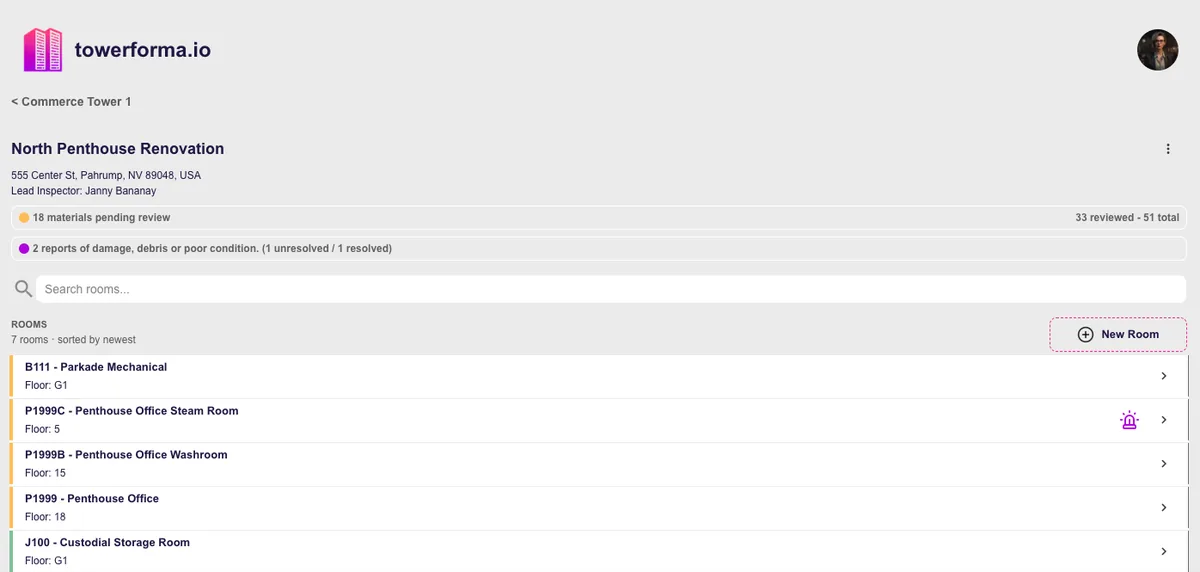
A survey is often finished in the field within a day or two. The report can take considerably longer, and most of that time goes to moving information between formats that were never designed to talk to each other.
Retyping lab results
A laboratory report arrives as a PDF with sample identifiers. Somebody matches each identifier back to a room, a material and a note, then retypes the result into a table.
Sorting photographs
Hundreds of images have to be renamed, ordered and captioned before they can become an appendix a reader can follow.
Reconciling descriptions
Two surveyors, three spellings of the same material, and a review pass to make the report internally consistent.
Rebuilding the same tables
Each report format needs the same information arranged differently, so the arranging happens again every time.
None of this is professional work. It is clerical work standing between the assessment and the deliverable — and it is where most transcription errors are introduced.
Results
No more retyping laboratory results.
Sampling and analysis are already tracked per occurrence, so the result has an obvious home the moment it arrives.
- Step 01
Sample recorded in the field
The sample identifier is captured against the material occurrence and the room it was taken from.
- Step 02
Analysis returns
Results are recorded against those same occurrences rather than into a separate spreadsheet keyed by identifier.
- Step 03
Status resolves
Sampled entries become confirmed or cleared, and assumed entries that were sampled stop being ambiguous.
- Step 04
Reporting draws from records
Result tables are assembled from the records themselves, so the report and the data cannot drift apart.
Assembly
What report production draws on.
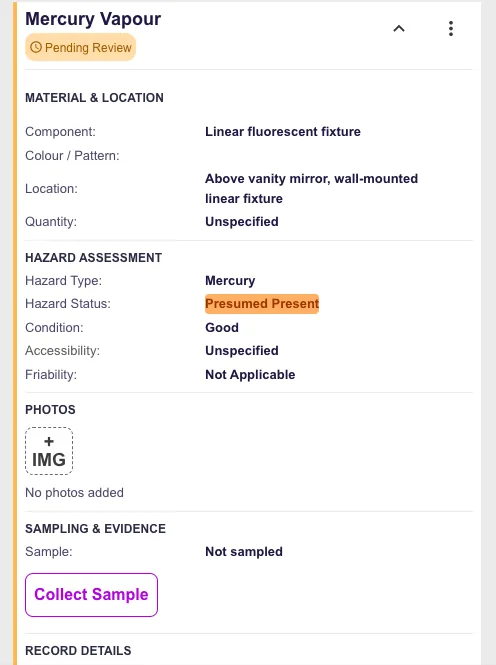
The report is a view over records that already exist, which is why review replaces reconstruction.
Material occurrence tables
Every documented material with its room, location, hazard, status and description.
Analytical summary
Sample identifiers and results tied to the occurrences they belong to.
Photographic evidence
Images already associated with their rooms and materials, in building order.
Condition observations
Damage and deterioration notes recorded against specific occurrences.
Room and floor coverage
What was accessed and documented, which is what scope and limitations statements depend on.
Inspection metadata
Dates, surveyors and inspection identity carried on the record rather than in a filename.
Consistency
Consistency across surveyors and projects.
Consistency is not a stylistic preference in this work. Inconsistent material descriptions make a portfolio's history impossible to compare and make review slower every time.
Shared descriptions
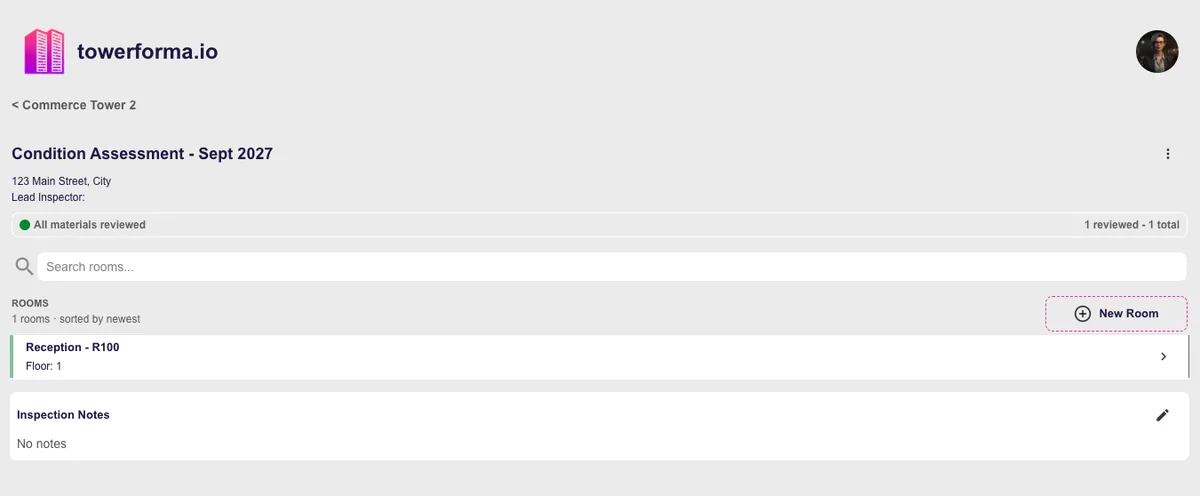
Material descriptions are reused across rooms, surveyors and buildings instead of being retyped per entry.
Defined fields
The same information is captured for every occurrence, so gaps are visible rather than implied.
Explicit status
Assumed, sampled and confirmed stay distinguishable in every table the report produces.
Review over rewriting
Senior review focuses on judgement and interpretation rather than on chasing formatting differences.
After the report
The report ships, and the data stays useful.
A conventional workflow ends with a PDF, which means the structured information created during the survey is discarded at exactly the moment it becomes valuable.
Report as deliverable
The formal document still carries scope, methodology, limitations and professional recommendations.
Records as the asset
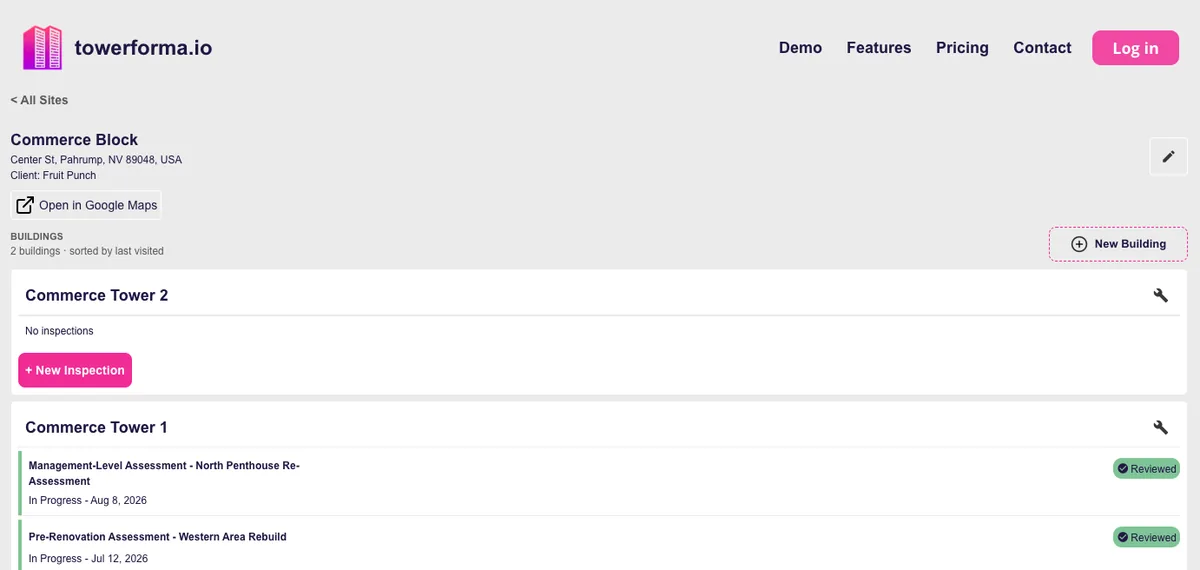
The underlying material records remain queryable by building, floor and room after delivery.
Next inspection is shorter
Reinspections and project scopes update existing records instead of starting from a blank document.
See hazardous materials inventory software for what happens to the data afterwards, or the field inspection app for where it starts.
Questions
Frequently asked
- Does Towerforma write the report for us?
- No. It assembles the structured survey data — material occurrences, locations, statuses, results and photographs — so that report production is a review task instead of a retyping task. Scope, methodology, limitations and recommendations remain the consultant's professional work.
- How do laboratory results get in?
- Results are recorded against the sampled material occurrence, so a result is attached to the material and room it came from rather than living in a separate laboratory report that has to be matched by hand.
- Can we produce reports for a single project scope?
- Yes. An inspection can cover a whole building or a defined project area, and the records for that inspection are what the report draws from.
- Are photographs included?
- Photographs stay attached to the rooms and materials they document, which is what makes photo appendices assemble in order instead of being sorted manually.
- Does it handle hazards other than asbestos?
- Yes. Lead-containing coatings, PCBs, mercury components, silica and other hazardous building materials use the same record structure where they fall within project scope.
- Does it check regulatory compliance for us?
- No. Towerforma does not make regulatory determinations or certify compliance. It organizes the underlying information so qualified professionals can apply the requirements in their jurisdiction.
Early access
Spend reporting time on judgement, not transcription.
Towerforma is in pre-launch development with hazardous materials consultants. Join the early access list for product updates and testing opportunities.