
Guide
How to build a hazardous materials inventory that stays useful
Most buildings already have the information. What they lack is a structure that makes it retrievable five years and two consultants later. This guide covers what an inventory is, what belongs in it, how to structure it, and how to keep it current.
Practical guidance · not regulatory advice
Pre-launch · In development with hazardous materials professionals
Definition
What a hazardous materials inventory is.
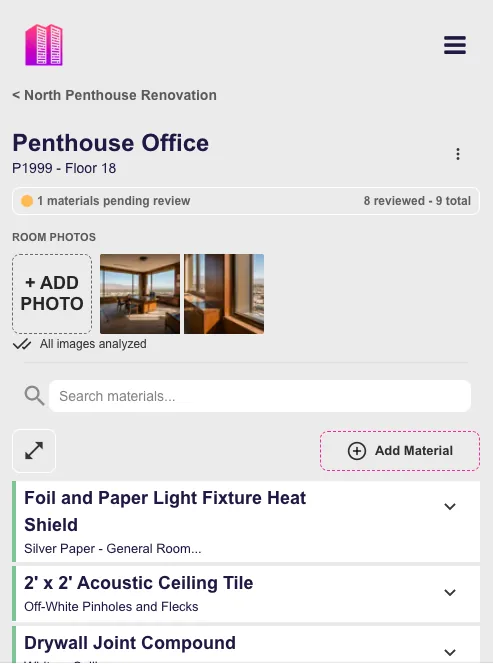
An inventory is a structured record of the hazardous building materials known or assumed to be present in a building, organized by location, with the evidence behind each entry attached to it.
It is
- Organized by building, floor and room.
- Current — it reflects removals and changes.
- Evidence-bearing — results and photographs travel with each entry.
- Explicit about certainty: assumed, sampled or confirmed.
- Maintained across successive assessments.
It is not
- A replacement for professional assessment or interpretation.
- A single survey report, however thorough.
- A folder of PDFs named by date.
- A compliance determination.
- Useful if it is only accurate on the day it was delivered.
Contents
What belongs in each record.
Fewer, well-defined fields consistently completed beat a long template that is half-filled. Start with the fields that answer a real question on site.
Location
Building, floor, room, and where in the room the material occurs. Location precision is what makes the entry actionable.
Material description
A consistent description of the material, reused across rooms so entries can be compared.
Hazard type
Asbestos, lead, PCBs, mercury, silica or other hazardous building materials within scope.
Status
Assumed, sampled or confirmed — recorded explicitly, never inferred from wording.
Analytical evidence
Sample identifier and result attached to the occurrence it came from.
Condition
Observed damage, debris or deterioration, recorded per occurrence.
Quantity or extent
As observed, to support scoping conversations later.
Photographs
Attached to the room and the material. Usually the fastest identification aid years later.
Provenance
Assessment date, inspection and surveyor, so age and source of the entry are visible.
Structure
How to structure it.
The hierarchy does most of the work. Get it right and searching, comparing and updating all become straightforward.
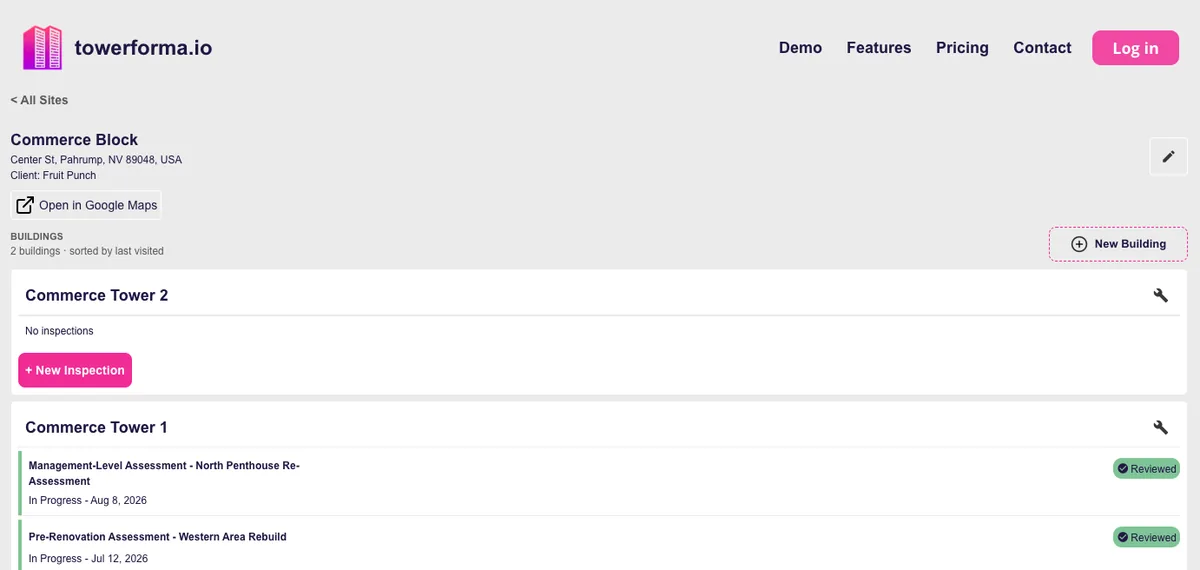
Portfolio
└─ Site / Building
   └─ Floor
      └─ Room
         └─ Material occurrence
            ├─ hazard type
            ├─ status (assumed / sampled / confirmed)
            ├─ sample + result
            ├─ condition
            └─ photographs
The unit of record is the material occurrence — one material, in one place. A material that appears in thirty rooms is thirty occurrences sharing one description, not one row with a location list. That distinction is what lets you mark one of them removed without corrupting the other twenty-nine.
Process
Building the inventory.
Whether you are starting from a stack of historical reports or from a fresh survey, the sequence is similar.
- Step 01
Define the building structure first
Establish floors and rooms before recording materials. Room naming that matches signage and drawings prevents most later confusion.
- Step 02
Bring in existing assessments
Extract material occurrences from prior reports with their dates and status. Note the scope of each source, because an entry's absence may only mean the room was never assessed.
- Step 03
Record status honestly
Mark assumed entries as assumed. An inventory that overstates certainty is more dangerous than one with visible gaps.
- Step 04
Attach the evidence
Pair analytical results and photographs with their occurrences while the connection is still known.
- Step 05
Identify the gaps
Rooms with no coverage and materials with no result are findings in themselves, and they inform the next scope of work.
- Step 06
Set the update path
Decide who updates the record after abatement, renovation and reinspection — before the first project makes it stale.
Maintenance
Keeping it current.
Inventories do not fail at creation. They fail three projects later, when nobody updated them and confidence quietly drains away.
Update at project close
Abatement and renovation are the two events that most often invalidate an entry. Treat record updates as part of project closeout.
Keep history, show current
Mark materials removed rather than deleting them, so the building's assessment history stays legible.
Upgrade assumed entries
When later sampling occurs, record the result against the existing occurrence instead of creating a new one.
Reinspection feeds the same record
Condition reassessments update occurrences; they should not produce a parallel document.
Single owner of the record
One authoritative record, with contributors, beats several partially-correct copies.
Pitfalls
Common mistakes.
Almost every unusable inventory fails in one of these ways.
Treating the report as the database
A PDF is a fine deliverable and a poor data store. Keep both, and be clear which one answers location questions.
Location that is too coarse
'Third floor' is not a location. Someone has to be able to walk to the material.
Blurring assumed and confirmed
The most consequential field in the record is the one most often lost in translation.
Detaching photographs
Photographs stored separately from the occurrence lose most of their value within a year.
Silent overwrites
Replacing an entry without keeping its history removes the evidence trail that made it credible.
No named owner
If nobody is responsible for updating it, the inventory's accuracy has an expiry date.
To see this model implemented, see hazardous materials inventory software, asbestos management software for ongoing portfolio use, or asbestos survey software for the assessment side.
Questions
Frequently asked
- Is an inventory the same as a survey report?
- No. A survey report documents one assessment on one date, including its scope, methodology and limitations. An inventory is the structured, maintained record of what is present in the building, drawn from one or more assessments.
- Who should own the inventory?
- The building owner or operator ultimately holds it, because they hold the building over time. Consultants typically build and update it during assessment work.
- What is the minimum useful inventory?
- Building, floor, room, material description, specific location, hazard type, status (assumed, sampled or confirmed), assessment date and a photograph. Everything else is refinement.
- How often should it be updated?
- Whenever the building changes or is reassessed — after abatement, renovation, additional sampling or reinspection. Update frequency should follow project activity, plus whatever reinspection interval applies in your jurisdiction.
- Should assumed materials be included?
- Yes, with the assumed status explicit. Excluding them makes the inventory look more complete than it is; including them without labelling them is worse.
- Is this regulatory guidance?
- No. This is practical guidance on structuring information. Requirements for surveys, registers, reinspection and notification vary by jurisdiction and building type — confirm those with a qualified professional.
Early access
Build the record once, then keep it.
Towerforma is in pre-launch development with hazardous materials professionals and building owners. Join the early access list for product updates and testing opportunities.